
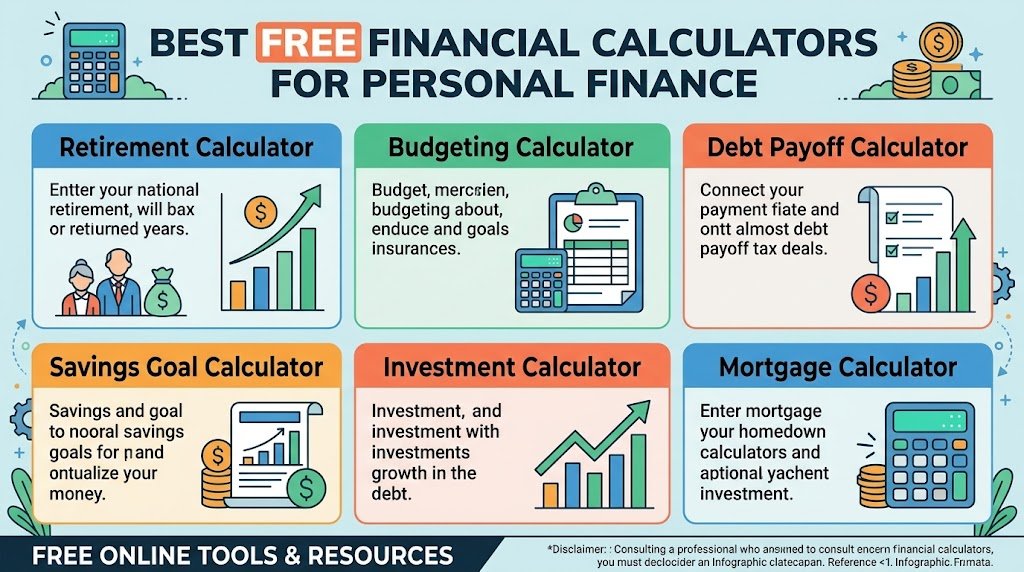
Most money decisions come down to a few questions. How much will this cost me each month? How long will it take to pay off? What will it be worth later? Banks and lenders answer these with spreadsheets and software. You can answer them in a couple of minutes with a free calculator.
The trick is knowing which calculator to use for which decision. There are dozens out there, and many of them are padded with sign-up forms or built to push you toward a loan product. Below is a practical rundown of the personal finance calculators worth using, grouped by the decisions they help with. At the end there’s a simple way to use them together.
What Makes a Financial Calculator Worth Using?
Before getting into specific tools, here’s what separates a good calculator from a frustrating one:
- It’s free with no sign-up. You shouldn’t have to hand over an email to see a monthly payment.
- It shows its work. Good tools break results into schedules, charts, or totals, not just one number.
- It includes the hidden costs. A mortgage calculator that skips property tax and insurance gives you a fantasy number.
- It lets you compare scenarios. Changing one input and watching the result move is where the real insight comes from.
Every tool listed below is free on PrimeCalculator. You can also browse the full set on our financial calculators page.
Home Buying and Mortgages
Best mortgage calculator for planning a purchase
A home is the biggest purchase most people make, so this is where precision matters most. The best mortgage calculator includes principal, interest, property taxes, insurance, and PMI, so the monthly figure matches what you’ll actually pay. Our mortgage calculator does this. If you’re still figuring out your price range, start with the house affordability calculator instead. We cover the full process in our guide on using a mortgage calculator to plan a home purchase.
Refinance calculator
If you already own a home, a refinance calculator tells you whether a lower rate actually saves money once closing costs are counted. The key figure is the break-even point: how many months it takes for the savings to cover the cost of refinancing. If you plan to move before then, refinancing probably isn’t worth it.
Loans and Debt
Loan calculator
A general loan calculator covers almost any fixed-rate borrowing. You enter the amount, rate, and term, and get the payment and total interest. For specific situations, there are dedicated versions for auto loans and personal loans.
One habit worth building: always look at the total interest, not just the monthly payment. Dealers and lenders love to stretch terms so the monthly number looks small. A 72-month car loan can feel affordable while costing you thousands more than a 48-month one.
Debt payoff calculator
If you’re carrying several balances, a debt payoff calculator shows how long it’ll take to become debt-free and how much faster you’d get there with an extra $50 or $100 a month. Seeing an actual payoff date tends to be far more motivating than a vague goal.
Credit card payoff calculator
Credit cards deserve their own tool because the interest rates are so high. A credit card payoff calculator shows what happens if you only pay the minimum. The answer is usually years of payments and a large chunk of extra interest. If you’re juggling multiple cards, a debt consolidation calculator helps you check whether rolling them into one lower-rate loan makes sense.
Saving and Investing
Compound interest calculator
If you only use one savings tool, make it a compound interest calculator. It shows how money grows when your returns start earning returns of their own.
A quick example: investing $200 a month at a 7% average annual return for 30 years adds up to roughly $244,000. You’d only have contributed $72,000 of that. The rest is growth. Start ten years later and the final number drops sharply, which is why this calculator is the best argument for starting early.
Savings and investment calculators
For specific goals like an emergency fund or a vacation, a savings calculator tells you how much to set aside each month to hit a target by a certain date. If you want to measure how an investment actually performed, an ROI calculator gives you a clean percentage.
Inflation calculator
An inflation calculator is easy to overlook but useful. It shows what today’s money will be worth in the future, or what past prices equal in today’s dollars. It’s a good reality check for long-term goals. A $1 million retirement target sounds large, but in 30 years it will buy a lot less than it does today.
Retirement Planning
A retirement calculator estimates whether your current savings rate will get you where you want to be. You’ll need your age, savings so far, monthly contributions, and expected retirement age.
For US workers, the 401(k) calculator and Roth IRA calculator go a step further. They account for employer matches, contribution limits, and tax treatment. Make sure you’re contributing at least enough to get the full employer match. If you aren’t, you’re leaving part of your pay on the table.
Income, Taxes, and Everyday Budgeting
Take-home paycheck calculator
Your salary and your actual paycheck are very different numbers. A take-home paycheck calculator estimates what’s left after taxes and deductions. Every budget should be built on this number, not your gross pay.
Budget calculator
A budget calculator ties everything together. Once you know your take-home pay, it shows where your money is going and how much is left for savings and debt payments. If you’ve never budgeted before, this is the best place to start.
How to Use These Calculators Together
Each calculator answers one question, but used in order they turn into a simple financial plan:
- Find your real income with the take-home paycheck calculator.
- Map your spending with the budget calculator.
- Attack expensive debt using the debt payoff or credit card payoff calculator.
- Build savings with the savings and compound interest calculators.
- Check retirement progress with the retirement calculator.
- Plan big purchases, like a home or car, with the mortgage and loan calculators.
You don’t need to do all of this in one sitting. Even running one or two of these calculators can change a decision you were about to make.
The Bottom Line
Free online calculators won’t make financial decisions for you, but they take the guesswork out of them. The best ones are honest about hidden costs, show you the full picture, and let you test different scenarios in seconds. Start with the decision in front of you right now, and run the numbers before you sign anything.
FAQs
What are the most useful personal finance calculators?
For most people, it’s a budget calculator, a debt payoff calculator, a compound interest calculator, a retirement calculator, and a mortgage or loan calculator.
Are free online financial calculators accurate?
The math is accurate. The results are only as good as your inputs, so use realistic interest rates, actual tax figures, and your take-home pay rather than gross salary.
What is the best mortgage calculator?
Pick one that includes property taxes, homeowners insurance, PMI, and HOA fees, and that shows a full amortization schedule. A calculator covering only principal and interest will underestimate your payment.
Do I need to sign up to use these calculators?
No. Every calculator on PrimeCalculator is free and works without an account.